A CRM (customer relationship management) system stores customer information, tracks interactions and keeps the next sales action visible. It can replace the spreadsheets, sticky notes and "I'll remember to call them back" approach many small businesses start with. The software is not the hard part. Poor data structure, too many stages, unclear ownership, weak team training and trying to automate everything on day one can turn any CRM into another tab nobody opens. The ABS Characteristics of Australian Business survey describes how Australian businesses use digital systems, but it does not prove one universal return from CRM adoption. A useful setup should be measured against your own baseline: repeated data entry, response outcomes, open quotes and booked work. This guide explains how to decide whether you need a CRM, compare realistic platform options, map the pipeline, migrate data, test the workflow and help the team use it consistently.
Do you actually need a CRM?
Let's start with an honest question. Not every business needs a CRM right now. If you're a solo operator with five regular clients and a good memory, a spreadsheet might genuinely be fine.
But the moment you start losing track of who you've quoted, forgetting to follow up, or spending your evenings doing admin instead of watching telly, that's when a CRM stops being a "nice to have" and becomes essential.
A CRM in plain English is just a central place where you can:
- See every lead and customer in one list
- Track where each person is in your pipeline (new enquiry → quoted → booked → completed)
- Automatically send follow-ups, reminders, and review requests
- Pull up a customer's full history in seconds, every call, email, quote, and job
- Stop relying on your memory (or your inbox) to run your business
It's not about fancy technology. It's about having a system that means nothing gets missed.
What are the signs you need a CRM?
If you're nodding along to two or more of these, it's time.
1. Leads are falling through the cracks Someone fills in your website form on a Tuesday, and by Friday you've forgotten they exist. Or you find a scribbled phone number in your ute with no idea who it belongs to. If you're losing potential customers because there's no system tracking them, that's money walking out the door. The same problem shows up on the phone: a missed call after hours is a lead your CRM never even hears about, which is why a lot of small businesses pair their CRM with an AI receptionist for small business that answers, qualifies, and logs the caller straight into the pipeline.
2. You have no follow-up system You quote a job, and then... nothing. No follow-up email. No check-in after a week. Research published in Harvard Business Review confirms that lead response speed is one of the strongest predictors of conversion, yet most small business owners do zero structured follow-up after the initial quote. A CRM automates this entirely.
3. You can't find customer information when you need it A customer calls and you're scrambling through emails, texts, and notebooks to figure out what you quoted them six months ago. A CRM puts their entire history one click away.
4. You're doing the same admin tasks over and over Typing out the same confirmation email. Manually sending appointment reminders. Copy-pasting job details between apps. If you're repeating the same task more than twice a week, a CRM should be handling it.
5. You know you should be asking for reviews but never do Google reviews are the single biggest driver of local search rankings in 2026. But remembering to ask every happy customer, and making it easy for them, doesn't happen without automated review request software.
6. Your sales cycle has more than one handoff If an enquiry moves from reception to an estimator, practitioner, salesperson or owner, a shared record becomes useful. The CRM should show who owns the next action and what information has already been collected.
7. Growth has made the owner's memory the bottleneck When every question still comes back to one person, adding staff does not create much capacity. A CRM turns the unwritten process into visible stages, fields and responsibilities the team can follow.
What should a small business CRM include?
Not all CRM features are created equal. Some are essential from day one, some are worth adding later, and some will just distract you. Here's how to think about it:
| Feature | Must-Have | Nice-to-Have | Overkill for Most |
|---|---|---|---|
| Contact management | Yes | ||
| Deal/pipeline tracking | Yes | ||
| Email and SMS templates | Yes | ||
| Automated follow-up sequences | Yes | ||
| Appointment booking | Yes | ||
| Mobile app | Yes | ||
| Review request automation | Yes | ||
| Invoicing and quoting | Yes | ||
| AI call answering | Yes | ||
| Reporting dashboards | Yes | ||
| Social media management | Yes | ||
| Custom API integrations | Yes | ||
| Multi-location management | Yes | ||
| Advanced lead scoring | Yes |
The "must-have" column is your minimum viable CRM. Get those features working first. Everything else can come later once the basics are running smoothly.
If you want to pair your CRM with workflow automation, that's where things get really powerful, but only after your foundation is solid.
Which CRM platforms should a small business compare?
There is no universal "best CRM for small business." Compare the daily workflow, required integrations, data export, user permissions, support and full cost before comparing long feature lists.
| Platform | A useful starting fit | Check before choosing |
|---|---|---|
| HubSpot Smart CRM | A business already building sales and marketing around HubSpot | Which Sales Hub or Marketing Hub features require a paid tier |
| Zoho CRM | A cost-conscious team that wants multiple editions and room to configure | Edition limits, setup effort and fit with the wider Zoho suite |
| Pipedrive | A sales-led team that wants a clear visual deal pipeline | Per-seat pricing, add-ons and automation features |
| monday CRM | A team already comfortable with flexible monday-style boards | Minimum seats, contact limits and automation allowances |
| LUNA CRM | An Australian service business that wants the system mapped, configured and supported | Messaging usage, integrations and team responsibilities in the written scope |
Vendor plans and prices change. Use each linked official page for the current edition, limits and billing terms, and test data export before committing. The best product is the one that supports the actual process without forcing duplicate entry.
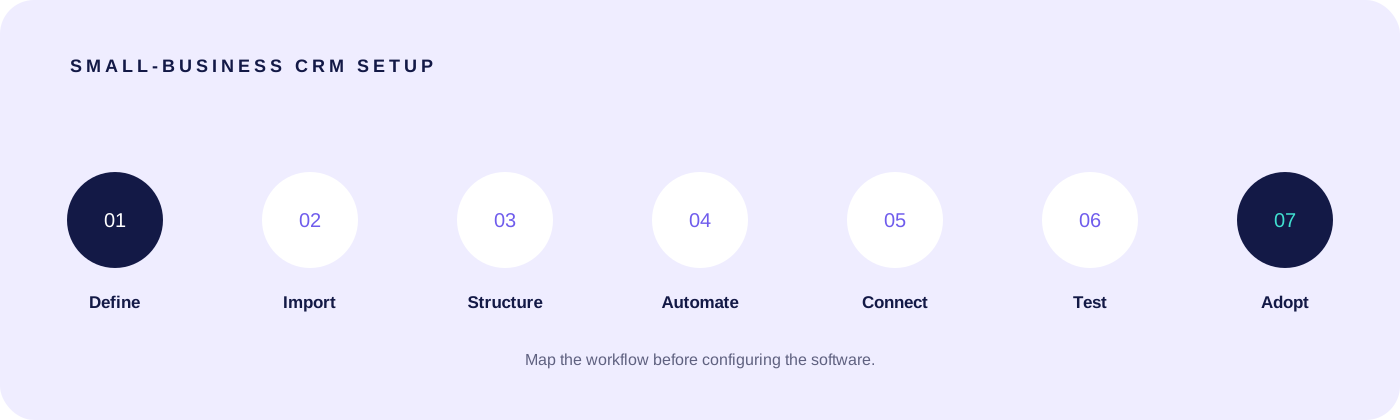
How do you set up your CRM in 7 steps?
Whether you're doing this yourself or working with a done-for-you service, these are the steps that actually matter.
Step 1: Define your pipeline stages
Before you touch any software, write down the journey a customer takes from first contact to completed job. For most service businesses, it looks something like:
New Lead → Contacted → Quote Sent → Quote Accepted → Job Scheduled → Job Completed → Review Requested
Keep it simple. Five to seven stages is plenty. You can always add more later.
Step 2: Import your existing contacts
Dig out every customer and lead you have, from spreadsheets, email contacts, phone records, even business card photos. Get them all into your CRM in one go. A CRM with no data in it is useless, and the longer you wait to import, the less likely you are to do it.
Most CRMs accept a CSV upload. At minimum, you want: name, email, phone number, and where they are in your pipeline.
Step 3: Set up your contact properties
These are the fields that store information about each person. Start with the basics:
- Name and contact details
- Lead source (Google, referral, Facebook, etc.)
- Service type they enquired about
- Pipeline stage
- Any notes from previous conversations
Resist the urge to create 30 custom fields on day one. You'll never fill them in. Start with five to eight and add more as you actually need them.
Step 4: Build your core automations
This is where the real value lives. At minimum, set up:
- New lead notification, get an instant alert (SMS or app notification) when someone enquires
- Lead follow-up sequence, an automated series of emails or texts that go out over the first week after an enquiry
- Appointment reminders, reduce no-shows with automated appointment booking and reminders sent 24 hours and 1 hour before every booking
- Post-job review request, automatically ask for a Google review 1 to 2 days after completing a job
These four automations alone can recover thousands in revenue you're currently leaving on the table.
Step 5: Connect your existing tools
Your CRM shouldn't live in isolation. Connect it to:
- Your calendar (Google Calendar, Outlook)
- Your accounting software (Xero, MYOB)
- Your website forms
- Your Google Business Profile
The fewer places you need to check, the more likely you are to actually use the system.
Step 6: Test everything with a real scenario
Before you go live, run a test lead through your entire system. Fill in your own website form, watch the notification come through, check the follow-up sequence triggers, book a fake appointment, and verify the reminder sends. Fix anything that breaks before real leads hit the system.
Step 7: Start using it, consistently
The CRM only works if you use it. Make it your single source of truth. Every call gets logged. Every lead gets entered. Every quote gets tracked. Give it two weeks of consistent use and it'll become second nature.
What are the biggest CRM setup mistakes?
These are the five mistakes we see most often when businesses try to set up a CRM on their own.
1. Overcomplicating it from day one You don't need 15 pipeline stages, 40 custom fields, and a 12-email nurture sequence in week one. Start with the basics, get comfortable, and build from there. Complexity kills adoption.
2. Not importing existing data A shiny new CRM with zero contacts is a CRM you'll never open. Import everything you have, even if it's messy. You can clean it up later. Having your history in there gives you an immediate reason to use it.
3. Skipping team training If you have staff, they need to know how to use it, and why it matters. The most common CRM failure in small teams isn't the software; it's that one person set it up and nobody else knows how it works.
4. Ignoring automations A CRM without automations is just a fancy address book. The automations are the part that actually saves you time and makes you money. If you skip them, you're getting about 20% of the value.
5. Trying to do everything at once CRM, email marketing, social scheduling, invoicing, AI chatbot, review management, all in the first week. This is a recipe for burnout and abandonment. Pick one thing, get it working, then add the next.
Should you set up your CRM yourself or get it done for you?
Both approaches can work. It depends on your time, confidence, and how quickly you need it running.
DIY setup can work if you are comfortable mapping fields, importing data, testing automations and training the team. The software price is only one part of the cost; include internal setup time, per-user fees, messaging, add-ons and future maintenance.
Done-for-you setup makes sense if your time is better spent on billable work, you have a migration or several integrations, or you want one team accountable for launch. LUNA's small-business CRM setup service covers journey mapping, configuration, migration, testing, training and support against a written scope.
| Path | Software and usage | Implementation | Best fit |
|---|---|---|---|
| Free or spreadsheet | May be $0, with limits or manual work | Owner-built | A simple contact list and one clear owner |
| Paid DIY CRM | Usually per user or feature tier, plus possible add-ons | Your team's time or a separate consultant | A confident team with a straightforward workflow |
| Done-for-you LUNA CRM | Platform and usage stated in the quote | Custom-quoted from the mapped scope | A service business that wants setup, migration and support managed together |
If you're curious about how LUNA approaches a full setup, see how we work. Pricing is custom-quoted after a quick discovery call, with no lock-in contracts.
Frequently asked questions
How much does a CRM cost for a small business? Most CRM platforms suitable for Australian small businesses cost between $50 and $300 per month depending on features and contacts. Some offer free tiers but they're usually too limited for anything beyond basic contact storage. If you go with a done-for-you setup, expect to pay an additional setup fee or a higher monthly rate that includes management.
How long does CRM setup take? DIY setup typically takes 20 to 40 hours spread over two to four weeks, and that's if you know what you're doing. A done-for-you service like LUNA can have you fully live in two to four weeks with minimal input required from you.
Can I switch CRMs later if I pick the wrong one? Yes, but it's painful. Most CRMs let you export your contacts as a CSV, but automations, templates, and pipeline configurations don't transfer. This is why getting the right setup from the start matters more than most people realise.
What's the best CRM for Australian service businesses? There's no single answer; it depends on the industry, team, pipeline, integrations and support required. Tradies can use our detailed CRM comparison for trade businesses. Australian service businesses that want the journey mapped, configured and supported can also explore the LUNA CRM setup service.
Can I build my own CRM system? Yes. A spreadsheet or database tool can support a simple contact list and pipeline. You then own the permissions, backups, duplicates, reminders, integrations and every future change, so compare that maintenance load with a configured CRM before deciding.
Can I build a CRM in Excel? Yes, when one person manages a small number of active opportunities and communication history does not need to be shared. It becomes fragile when several people edit records, follow-up must be automatic or the same customer appears in more than one workflow.
Ready to stop losing leads?
If setting up a CRM has been sitting on your to-do list for months (or you've already tried and it didn't stick), we can help. LUNA builds and manages your entire CRM and automation system so you can focus on the work that actually pays.
No tech skills needed. No 40-hour learning curve. Just a system that works from week one.
Explore the LUNA CRM setup and migration service, or book a discovery call and we'll map the smallest sensible first stage with no obligation and no jargon.

Founder, LUNA Systems · Registered Nurse (AHPRA: NMW0002113429)
Former nurse and beauty therapist turned automation consultant. Justine builds custom AI systems for Australian service businesses, so they can stop chasing leads and start growing.
Want automation tips in your inbox?
Get weekly insights on business automation. No spam, unsubscribe anytime.